What Is a Smart Lock and Why Are Homeowners Making the Switch?
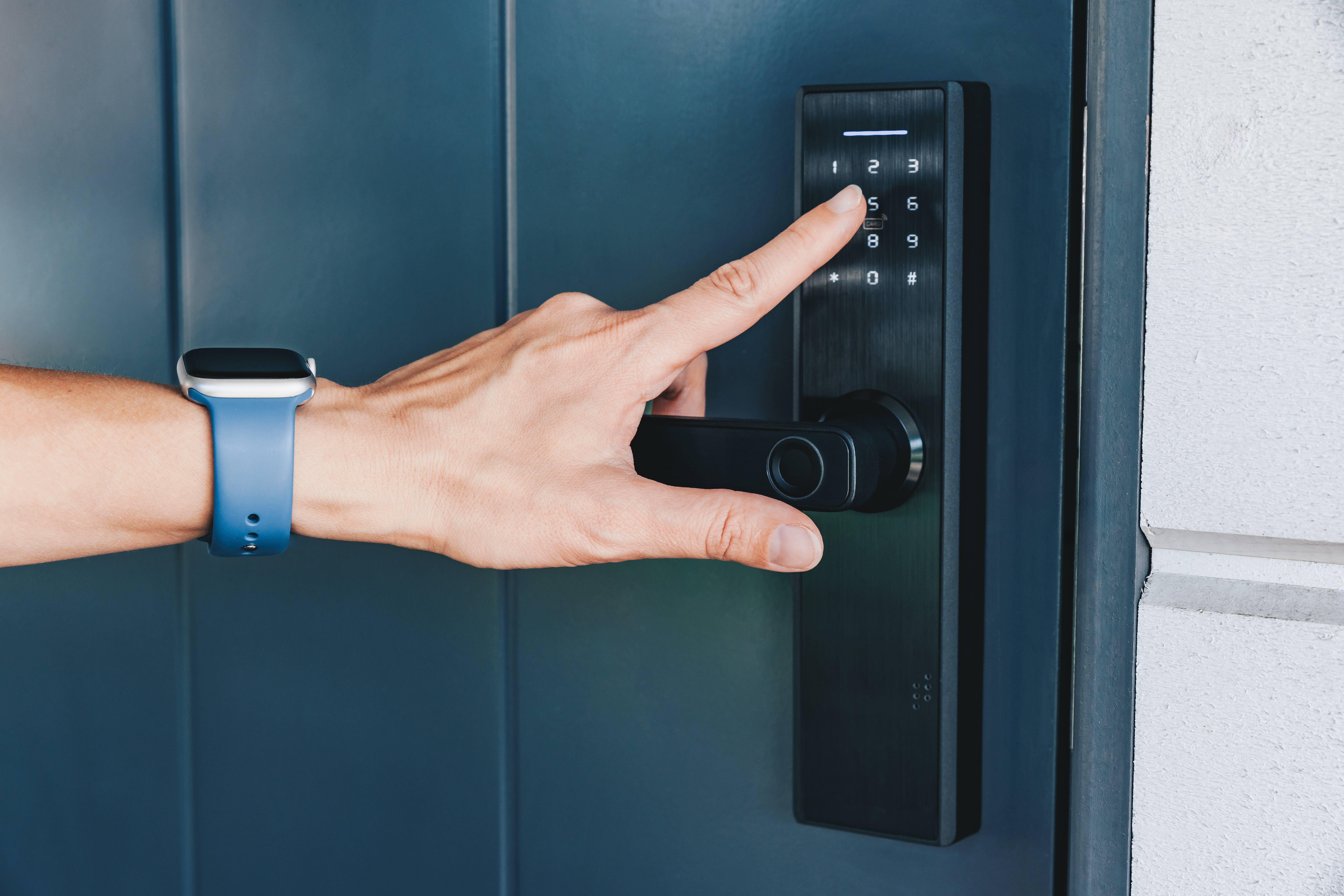
Smart locks have quietly become one of the most talked-about upgrades in the home improvement space, and honestly, it makes a lot of sense once you understand what they actually do. At their core, smart locks replace or augment your traditional deadbolt with a connected device that allows keyless entry, remote access, and real-time monitoring. Instead of fumbling for keys at the door, you use a PIN code, a smartphone app, a fingerprint, or even your voice. It sounds futuristic, but this technology has matured considerably over the past several years and is now well within reach for the average homeowner.
How Smart Locks Actually Work
The mechanics are more straightforward than most people expect. A smart lock replaces or attaches to your existing deadbolt mechanism on the interior side of your door. The physical bolt still moves the same way it always has — the difference is what triggers that movement. Smart locks communicate through wireless protocols like Wi-Fi, Bluetooth, Z-Wave, or Zigbee. Bluetooth-enabled models connect directly to your smartphone when you are nearby, while Wi-Fi models allow remote access from anywhere with an internet connection. Many smart locks also integrate with home automation hubs like Amazon Alexa, Google Home, or Apple HomeKit, which means your lock becomes part of a broader ecosystem rather than a standalone device. The lock itself is powered by standard AA or AAA batteries, and most models will send a low-battery alert before they go completely dark.
Key Advantages of Installing a Smart Lock
There is a real reason so many homeowners are making this switch. The convenience factor alone tends to win people over quickly, but the benefits go deeper than that.
- Keyless entry eliminates the need to carry or hide spare keys, which reduces one of the most common security vulnerabilities around the home.
- Temporary access codes can be created for guests, contractors, or housekeepers, then deleted when no longer needed.
- Activity logs track exactly who entered and when, giving homeowners peace of mind whether they are home or traveling.
- Remote locking and unlocking means you will never have to wonder if you left the door unlocked after rushing out in the morning.
- Auto-lock features can be programmed to secure the door after a set number of minutes, which is genuinely useful for households with children or frequent visitors.
Common Drawbacks Worth Knowing Before You Buy
No home upgrade is without its trade-offs, and smart locks are no exception. Battery dependency is the most obvious limitation — if the batteries die and you have no backup plan, you could be locked out. Most quality models include a physical key override or an external terminal that accepts a 9-volt battery for emergency power, but it is worth confirming before purchasing. Connectivity issues can also arise, particularly with Wi-Fi models that depend on a stable home network. If your router goes down or your internet service is interrupted, remote access may not be available. There is also a learning curve involved, especially for older household members or guests who are unfamiliar with app-based access. And while smart locks are generally robust, they are still electronic devices that can malfunction over time, which brings in questions about repair costs and coverage.
How Smart Locks Fit Into Your Home Security Strategy
Smart locks are most effective when they are part of a layered security approach rather than a standalone solution. Pairing a smart lock with a video doorbell, motion-activated lighting, and a monitored alarm system creates overlapping layers of deterrence and detection. That said, a smart lock on its own still provides meaningful security improvements over a standard deadbolt, primarily because it eliminates key duplication risks and gives you granular control over who can access your home. From a practical standpoint, it is also worth noting that most smart locks are designed to meet or exceed the same grading standards as traditional deadbolts, so the physical lock mechanism itself is not being downgraded in any way.
What to Look for When Choosing a Smart Lock
The market has expanded significantly, and not all smart locks are created equal. Before making a purchase, consider the following factors carefully. Compatibility is critical — confirm that the lock works with your door thickness, existing deadbolt prep, and preferred smart home platform. Look for models with ANSI Grade 1 or Grade 2 certification, which indicates the physical security rating of the hardware. Battery life is another important consideration; some models last up to a year on a single set of batteries while others require more frequent replacement. If remote access matters to you, choose a Wi-Fi-enabled model or one that supports a compatible bridge or hub. Finally, pay attention to the user interface — a lock with an overly complex app can quickly become more frustrating than helpful.
Installation: DIY or Call a Professional?
Most smart locks are marketed as DIY-friendly, and for the most part that is accurate. If your door already has a standard single-cylinder deadbolt, the installation process typically involves removing the existing hardware and attaching the new components using the included mounting hardware. The process usually takes under an hour and requires only a screwdriver. However, there are situations where professional installation makes more sense. Doors with non-standard configurations, older frames that have shifted over time, or homes with electronic access control systems already in place may require a locksmith or a tech-savvy contractor to ensure everything is aligned and functioning properly. Improper installation can compromise both the security and the longevity of the device, so it is not worth cutting corners if you have any doubts.
Maintenance Tips to Keep Your Smart Lock Performing Well
Like any mechanical and electronic device in your home, smart locks benefit from routine attention. Replace batteries proactively rather than waiting for a low-battery alert, ideally every six to twelve months depending on usage frequency. Keep the firmware and app updated, since manufacturers regularly release patches that improve performance and address security vulnerabilities. Periodically check the physical alignment of the deadbolt with the door strike plate, as seasonal changes can cause doors to shift slightly and create unnecessary strain on the motor. A small amount of graphite lubricant applied to the bolt mechanism once a year can also extend the life of the moving parts. These are small habits that make a measurable difference over the life of the device.
Are Smart Locks Covered by a Home Warranty?
This is a question that comes up more often as smart home technology becomes more common in residential properties. Traditional home warranties are structured around major systems and appliances — think HVAC, plumbing, electrical, and large kitchen appliances. Smart locks occupy an interesting middle ground. They are tied to the physical security of the home, connected to the electrical or battery-based systems, and can fail in ways that require professional repair or replacement. Coverage varies by provider, and reviewing the specific terms of any plan you are considering is always essential. Some home warranty providers are beginning to adapt their offerings to reflect the realities of modern homes, including connected devices and smart systems, which is a meaningful shift worth paying attention to.
How Armadillo Helps Protect the Home Behind the Lock
Your smart lock keeps the outside world at bay, but what protects everything on the inside? That is exactly where a home warranty earns its place. When your HVAC system stops working on the hottest day of the year or your water heater fails without warning, having a plan that covers the cost of repair or replacement changes everything. Armadillo home warranty coverage for modern homeowners is built around transparency, simplicity, and real responsiveness — not the fine-print frustration that has defined the industry for too long. Smart home upgrades like connected locks are a sign that you take your home seriously, and that mindset deserves a warranty partner that takes its commitments just as seriously. If you are ready to see what protection looks like without the confusion, you can get a free home warranty quote for your property in seconds and find a plan that actually fits where you live and how you live.
Frequently Asked Questions About Smart Locks
Here are answers to the questions homeowners ask most often when exploring smart lock installation and maintenance.
Can a smart lock be hacked?
Like any connected device, smart locks are theoretically vulnerable to digital attacks, but reputable manufacturers use encrypted communication protocols that make unauthorized access extremely difficult. Keeping firmware updated and using strong, unique PINs significantly reduces risk.
Will a smart lock work if my internet goes down?
Bluetooth-based models will still work locally via your smartphone even without internet access. Wi-Fi-dependent features like remote locking may be unavailable during an outage, but most models retain physical key access as a backup.
How long do smart lock batteries typically last?
Battery life varies by model and usage, but most smart locks run for six to twelve months on a standard set of AA or AAA batteries. High-traffic households or those using auto-lock frequently may see shorter battery cycles.
Do smart locks work with rental properties?
Yes, and they are particularly useful in rental situations because temporary access codes can be created and deleted for tenants, maintenance personnel, or property managers without the need to rekey the lock between occupants.
Can I install a smart lock on any door?
Most smart locks are designed to fit standard door preparations with a single-cylinder deadbolt. Non-standard door thicknesses, double-cylinder deadbolts, or unusual configurations may require adapter kits or a different product entirely.
What happens if my smart lock malfunctions?
Most smart locks include a physical key override, so you are not completely locked out in the event of a malfunction. Contacting the manufacturer for warranty support or consulting a licensed locksmith are the recommended next steps for hardware failures.
Are smart locks more secure than traditional deadbolts?
From a physical standpoint, quality smart locks match or exceed the security rating of traditional deadbolts. The added benefit is the elimination of key duplication risk and the ability to monitor access in real time, which traditional locks cannot offer.
Do smart locks require a professional locksmith for installation?
Most standard installations are DIY-friendly and can be completed in under an hour with basic tools. Professional installation is recommended when doors have non-standard configurations or when existing electronic access systems need to be integrated.
Is a smart lock covered under a home warranty plan?
Coverage depends entirely on the specific home warranty provider and plan. Some modern plans are beginning to include smart home devices, but it is important to review plan terms carefully to understand what is and is not included.
Can I use a smart lock without a smartphone?
Yes. Most smart locks offer keypad entry as a standalone option, which means a PIN code is all that is needed for access. Smartphone connectivity enhances functionality but is not required for basic operation in most models.