What Is Chamberlain Keypad Programming and Why Does It Matter?
If you have ever stood outside your garage in the rain, fumbling for a remote that may or may not be somewhere in the back seat, you already understand why a Chamberlain keypad is worth every bit of attention it gets. Chamberlain keypad programming is the process of linking a wireless entry keypad to your garage door opener so you can access your garage using a personal identification number instead of a physical remote. It sounds simple enough, but the process trips up a lot of homeowners because the steps vary depending on the model, and the instructions in those tiny booklets are not exactly written for someone who has had a long day. This article breaks it all down in a way that actually makes sense.
How Chamberlain Keypad Programming Works
The fundamental idea behind Chamberlain keypad programming is radio frequency communication. Your keypad sends an encrypted signal to the garage door opener motor unit mounted on the ceiling of your garage. That signal is only accepted when the keypad has been paired to the opener, which is done through a learn button process. When you press the learn button on your opener and then enter your chosen PIN on the keypad, the two devices essentially recognize each other and create a secure communication link. Chamberlain uses its Security Plus 2.0 technology on newer models, which rotates the access code every time the door is used, making it significantly harder for outsiders to intercept the signal. That rolling code technology is one of the reasons Chamberlain keypads are considered reliable and worth programming correctly the first time.
Step-by-Step Guide to Programming a Chamberlain Keypad
Getting your Chamberlain keypad programmed does not require a technician, but it does require patience and a ladder. Here is a straightforward walkthrough for most Chamberlain and LiftMaster models that use the learn button system.
- Locate the learn button on your garage door opener motor unit. It is usually on the back or side panel and is often yellow, purple, red, or orange depending on the model.
- Press and release the learn button. You will have approximately 30 seconds to complete the next steps before the window closes.
- On the keypad, enter your desired PIN and then press and hold the Enter button until the garage door opener lights blink, indicating successful pairing.
- Test the keypad by entering the PIN and pressing Enter. The door should move. If it does not, repeat the process and check that your PIN meets any length requirements for your specific model.
Some newer Chamberlain models with myQ technology may require you to program through the myQ app or use a slightly different button sequence. Always confirm your opener model number before starting so you are following the right instructions. The model number is typically printed on a label on the motor unit itself.
Common Problems Homeowners Run Into During Programming
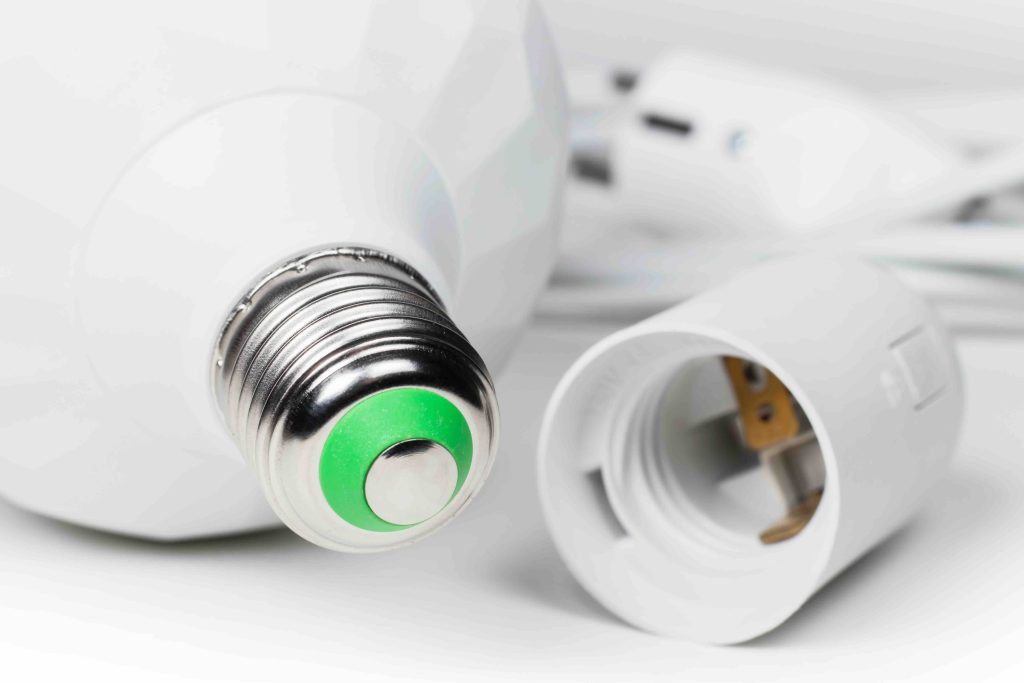
Even with the right steps, Chamberlain keypad programming does not always go smoothly on the first attempt. One of the most frequent issues is a dead or weak battery in the keypad. The keypad may appear to be functioning, but a low battery can prevent the signal from reaching the opener reliably. Replace the battery first if you are experiencing repeated failures. Another common problem is interference from nearby devices. Wireless routers, LED light bulbs, and even certain appliances can create radio frequency interference that disrupts the pairing process. If your garage has smart lighting or other wireless devices nearby, try temporarily turning them off during programming. Additionally, some homeowners accidentally press the learn button too long, which erases all previously paired devices rather than entering programming mode. A quick press and release is all that is needed.
How Often Should You Reprogram or Update Your Keypad PIN?
Garage security is easy to overlook because the door feels substantial and the PIN feels private. But keypads get shared. Contractors, family members, dog walkers, and neighbors learn codes over time, and not all of those relationships stay as trusted. Security professionals generally recommend updating your garage keypad PIN at least once a year or immediately after a service worker has used it. Chamberlain keypads make this relatively easy because you do not need to go through the full learn button process to change the PIN on many models. You simply enter the current PIN, press a programming button, enter the new PIN, and confirm it. Check your specific model manual for the exact sequence, since steps vary across product lines.
Temporary Access Codes and Guest Entry Features
One of the more underappreciated features of certain Chamberlain keypads is the ability to set a temporary access code that expires after a set number of uses or a specific time period. This is particularly useful if you need to let in a repair person, a house sitter, or a delivery service without handing over your permanent PIN. Not all Chamberlain keypad models support this feature, so it is worth checking your model’s capabilities before you assume it is available. Models connected to the myQ ecosystem tend to have broader temporary access and scheduling options through the app, including the ability to monitor when the code was used and revoke access remotely. For homeowners who value convenience without compromising security, that level of control is a meaningful upgrade.
When Chamberlain Keypad Programming Fails Repeatedly
If you have gone through the programming steps multiple times and the keypad simply will not pair, the issue may go beyond user error. The learn button itself can fail, particularly in older openers that have been exposed to humidity or temperature extremes inside the garage. A failing antenna wire on the motor unit can also prevent signal reception from the keypad. In some cases, the keypad itself has reached the end of its useful life. Chamberlain keypads are generally durable, but they are exposed to weather, UV light, and physical wear year after year. If the keypad is several years old and has visible cracks, faded buttons, or signs of moisture intrusion, replacing the unit is likely more practical than continued troubleshooting.
Does Your Home Warranty Cover Garage Door Opener Issues?
Here is where home warranty coverage becomes worth understanding. A home warranty is a service contract that covers the repair or replacement of major home systems and appliances when they break down due to normal wear and use. Depending on the plan, garage door openers, including the motor unit that your Chamberlain keypad communicates with, may be covered. If the opener motor fails and a technician confirms it is due to mechanical breakdown rather than physical damage or improper installation, a home warranty could cover the repair or replacement cost. The keypad itself, being a peripheral accessory, may or may not be included depending on how the plan defines garage door opener coverage. Reviewing your contract terms carefully and asking the right questions before you need service is always the smarter move.
Practical Maintenance Tips to Avoid Keypad and Opener Issues
Keeping your Chamberlain keypad and garage door opener functioning reliably comes down to consistent, simple maintenance habits.
- Replace the keypad battery every one to two years, even if the keypad seems to be working. A proactive replacement costs almost nothing compared to a failed entry.
- Keep the keypad face clean and free of debris. Dirt and moisture can work their way into button gaps over time and cause intermittent failures.
- Inspect the motor unit’s antenna wire periodically to ensure it is hanging straight down and has not been bent or damaged.
- Lubricate the garage door’s moving parts, including rollers, hinges, and tracks, at least twice a year. A door that is difficult to move puts extra strain on the opener motor, shortening its lifespan.
- Test the keypad seasonally to confirm it is responding correctly, especially after extreme cold spells that can affect battery performance.
Why Armadillo Belongs in Your Home Maintenance Plan
Chamberlain keypad programming is one of those home tasks that feels minor until it stops working at the exact wrong moment. And the garage door opener behind that keypad? That is a mechanical system operating under real stress every single day. When it breaks down, the repair costs can catch homeowners completely off guard. That is exactly why having dependable home warranty coverage matters. Armadillo home warranty coverage for garage door openers and major home systems is built around the idea that homeowners should not have to dread a breakdown. Armadillo offers straightforward plans with transparent terms, so you actually know what is covered before something goes wrong, not after. If you are ready to stop leaving your home’s protection to chance, you can get a free home warranty quote for garage door opener protection in just a few minutes. Coverage that works as reliably as a properly programmed keypad should, that is the standard worth holding onto.
Frequently Asked Questions About Chamberlain Keypad Programming
Here are answers to the questions homeowners ask most often about Chamberlain keypad programming, garage entry keypads, and related coverage considerations.
How do I program a Chamberlain wireless keypad for the first time?
Press and release the learn button on your garage door opener motor unit, then enter your desired PIN on the keypad and press and hold the Enter button until the opener lights blink. That blink confirms the pairing was successful.
Why is my Chamberlain keypad not working after programming?
The most common reasons include a low keypad battery, interference from nearby wireless devices, or the 30-second pairing window closing before you completed entry. Replace the battery first, then retry the programming steps.
How do I reset my Chamberlain keypad PIN?
On most models, enter your current PIN, press the program button, enter your new PIN, and confirm it. Some models may require using the learn button on the motor unit. Refer to your specific model manual for the exact sequence.
Can I program multiple PINs on a Chamberlain keypad?
Certain Chamberlain models, especially those in the myQ ecosystem, support multiple user PINs or temporary access codes. Check your model’s specifications to confirm this capability before assuming it is available.
Does the Chamberlain keypad work with all garage door openers?
Chamberlain keypads are designed to work with Chamberlain and LiftMaster openers. Compatibility with other brands depends on the frequency and protocol used. Always verify compatibility using the model numbers of both the keypad and the opener.
How long does a Chamberlain keypad battery last?
Most Chamberlain keypads use a 9-volt battery that lasts one to two years under normal use. Extreme cold can shorten battery life, so seasonal checks are a good habit in colder climates.
What does the learn button do on a garage door opener?
The learn button puts the garage door opener into programming mode, allowing it to receive and store the signal from a new remote or keypad. A quick press opens the pairing window, while holding it down erases all paired devices.
Is a Chamberlain keypad covered under a home warranty?
Coverage varies by plan. Many home warranties cover the garage door opener motor unit under normal wear and breakdown, but peripheral accessories like the keypad may be treated separately. Review your specific warranty contract or ask your provider before assuming coverage.
How do I know if my Chamberlain opener uses Security Plus 2.0?
Chamberlain openers manufactured after 2011 generally use Security Plus 2.0 technology. The model number on your motor unit and the color of the learn button can help confirm compatibility. Yellow and purple learn buttons are commonly associated with Security Plus 2.0 systems.
Can extreme weather affect Chamberlain keypad performance?
Yes. Cold temperatures reduce battery efficiency, while heat and UV exposure can degrade the keypad housing and buttons over time. Extreme humidity can also cause moisture intrusion that leads to intermittent malfunctions. Regular inspection and proactive battery replacement help minimize weather-related issues.