





How to Set a LiftMaster Garage Door Keypad: A Homeowner’s Guide to Setup, Security, and Smart Coverage
There is something deeply satisfying about pulling into your driveway, punching in a code, and watching your garage door glide open without fumbling for a remote. The LiftMaster garage door keypad is one of those small but genuinely useful upgrades that makes everyday home life a little smoother. But getting it set up correctly? That part trips up more homeowners than you might expect. Whether you just installed a new keypad or you are resetting an existing one, this guide walks you through everything you need to know, including why protecting the system behind it matters just as much as programming it.
What Is a LiftMaster Garage Door Keypad and How Does It Work
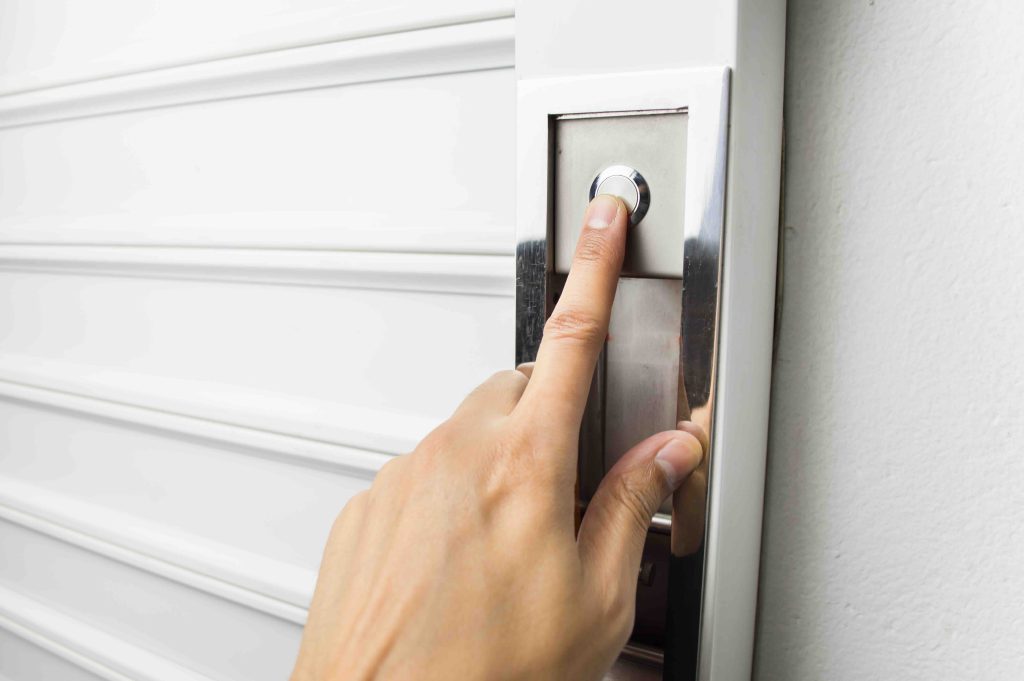
A LiftMaster garage door keypad is a wireless, PIN-based entry device that mounts outside your garage and communicates with your garage door opener inside. When you enter the correct code, the keypad transmits a signal to the opener’s receiver, triggering the motor to raise or lower the door. Most LiftMaster keypads use rolling code technology, which means the security code changes automatically after each use, making it significantly harder for someone to intercept and duplicate your signal. It is a surprisingly sophisticated piece of hardware tucked into a compact, weather-resistant casing. Some newer models are even compatible with the myQ app, allowing you to monitor access and receive alerts directly on your phone.
What You Need Before You Start Programming
Before you dive into the programming steps, a little preparation goes a long way. Having the right items on hand saves you from stopping mid-process and losing your place.
- Your LiftMaster garage door opener model number, usually found on a label on the motor unit hanging from your ceiling
- A fresh battery installed in the keypad, typically a 9-volt alkaline battery
- Access to the Learn button on your garage door opener, which is located on the back or side of the motor unit
- A stepladder if your opener is mounted higher than you can comfortably reach
- Your chosen PIN, ideally four to eight digits that are not easily guessable
It also helps to clear the area around the garage door before testing. You do not want anything in the path of the door during the setup process, especially if children or pets are nearby.
Step-by-Step Instructions for Setting Your LiftMaster Keypad
The programming process is fairly consistent across most LiftMaster models, though slight variations exist depending on whether your opener uses the older DIP switch system or the more current Security Plus 2.0 technology. For the vast majority of homeowners with a contemporary LiftMaster opener, here is how the process works. Start by pressing and holding the asterisk and pound sign buttons on the keypad simultaneously until the indicator light turns on. Enter your desired PIN and then press the Enter button. Next, go to your garage door opener motor unit and press the Learn button once. You will typically have about 30 seconds to return to the keypad and enter your PIN again, followed by pressing the Enter button one more time. If everything is connected properly, the garage door should move, confirming successful programming. That movement is your confirmation signal. If the door does not respond, repeat the steps and make sure the battery is fresh and the Learn button light did not time out before you completed entry.
How to Reset or Change Your LiftMaster Keypad PIN
Life changes. Maybe you gave a contractor temporary access or you want to update the PIN as a general security habit. Resetting your LiftMaster keypad PIN follows a similar process to initial setup. Begin by pressing and holding the asterisk and pound buttons again until the light activates. Then enter your current PIN and press Enter. From there, enter your new PIN and press Enter once more. Return to the motor unit, press the Learn button, and come back to the keypad to enter your new PIN a final time followed by Enter. The door movement confirms success. If you have forgotten your old PIN entirely, you will need to fully clear the opener’s memory by holding the Learn button until the indicator light goes off, then reprogram all remotes and keypads from scratch.

Key Advantages of Using a LiftMaster Garage Door Keypad
Beyond the convenience factor, there are real, practical reasons why so many homeowners choose to install a wireless keypad as part of their garage system. Security is the obvious one. Rolling code encryption means each signal is unique, which significantly reduces the risk of code theft compared to older fixed-frequency systems. Convenience is the other major draw. No remote means no worrying about dead batteries in a clicker, no risk of losing it, and no fumbling in your bag while it is raining. Keypads also make it easy to give temporary access to house sitters, family members, or service professionals without handing over a physical key or remote. And for households with kids who get home before parents do, a keypad can be a game-changer for after-school routines.
Common Drawbacks and Troubleshooting Tips
Nothing is perfect, and LiftMaster keypads are no exception. Cold weather can affect battery performance and keypad responsiveness, which is worth knowing if you live somewhere that sees harsh winters. Buttons can also wear down over time, especially on keypads that see heavy daily use. Signal interference from nearby electronics or construction can occasionally disrupt communication between the keypad and opener. If your keypad seems unresponsive, start with a battery swap before assuming something is broken. If that does not fix it, try reprogramming the device entirely. Also double-check that the antenna wire on your motor unit is hanging down freely, as a coiled or improperly positioned antenna can reduce signal range significantly.
Maintaining Your Garage Door System for Long-Term Reliability
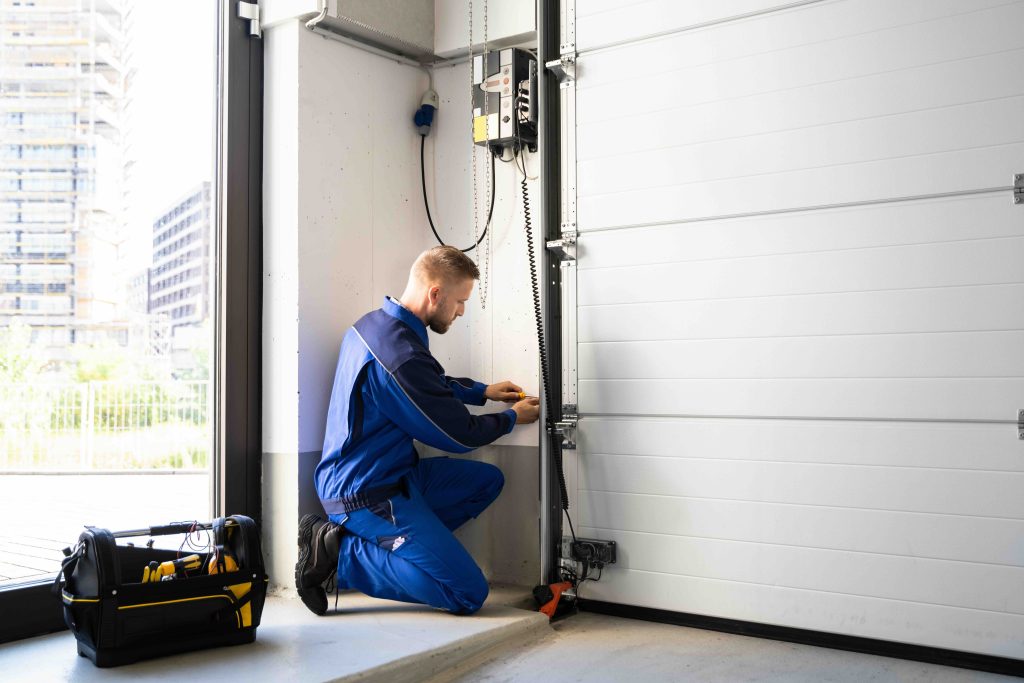
Programming a keypad is one piece of the garage door puzzle. The opener motor, springs, tracks, sensors, and drive system all need occasional attention to keep everything running smoothly. Lubricate the moving metal parts every six months using a lithium-based spray, not WD-40. Test the auto-reverse safety feature monthly by placing a small object like a piece of wood flat on the ground under the door and triggering it to close. The door should reverse upon contact. Keep the tracks clean and aligned, and inspect the spring system annually for signs of wear or corrosion. The garage door opener motor itself should last between 10 and 15 years with proper care, but components like keypads, remotes, and sensors may need replacement sooner.
When Garage Door Opener Problems Signal Something Bigger
Sometimes a keypad that stops responding is not really a keypad problem at all. It can be a sign that the opener motor is starting to fail, that a logic board is malfunctioning, or that the safety sensors have drifted out of alignment. These are the kinds of issues that start small and escalate fast. Garage door opener repairs are not always cheap, and if the motor unit needs full replacement, costs can climb into several hundred dollars depending on the model and labor involved. This is exactly the kind of unexpected home repair expense that catches homeowners off guard, and it is a prime example of why having protective coverage in place before something breaks is a smarter financial strategy than scrambling after the fact.
Why Armadillo Home Warranty Coverage Makes Sense for Your Garage System
Your garage door opener is one of the most frequently used mechanical systems in your home. It cycles up and down thousands of times per year, which means wear is inevitable. When it finally gives out, the timing is never convenient and the cost is rarely welcome. That is where Armadillo home warranty plans for garage door opener systems come in. Rather than absorbing the full cost of a repair or replacement out of pocket, a home warranty gives you a predictable monthly expense and access to qualified technicians when something breaks. Armadillo keeps things straightforward, with clear coverage terms and no runaround when you need service. If you want to know exactly what it would cost to protect your garage door system and other major home components, you can get a free home warranty quote for garage door and appliance coverage in just a few minutes. It is one of the more practical decisions a homeowner can make, especially once you start thinking about everything else in your home that runs on motors, circuits, and mechanical parts.

Frequently Asked Questions About Setting a LiftMaster Garage Door Keypad
Real questions, straightforward answers for homeowners navigating their LiftMaster keypad setup and garage door system.
How do I find the Learn button on my LiftMaster garage door opener?
The Learn button is located on the back or side panel of the motor unit, which is the box mounted to your ceiling near the garage door tracks. It is usually a small colored button, either yellow, red, orange, purple, or green depending on your model, accompanied by a small indicator light.
How long does it take to program a LiftMaster keypad?
The entire programming process typically takes under five minutes once you have your PIN chosen and your ladder positioned to reach the motor unit’s Learn button.
What do I do if my LiftMaster keypad is not responding after programming?
Start by replacing the battery with a fresh 9-volt alkaline. If that does not resolve it, erase the opener’s memory by holding the Learn button until the light goes out, then reprogram the keypad from the beginning.
Can I set a temporary PIN on a LiftMaster keypad?
Some LiftMaster models support a temporary access feature that allows you to set a PIN that expires after a set time period. Check your specific model’s manual or the myQ app to see if this option is available.
How many PINs can I program into a LiftMaster keypad?
Most LiftMaster keypads support a single active PIN at a time. However, some advanced models integrated with the myQ platform support multiple user codes through the app.
Why does my LiftMaster keypad light up but the door does not open?
This typically indicates a communication issue between the keypad and the opener. It could be a programming error, a depleted battery, antenna misalignment on the motor unit, or signal interference. Try reprogramming first, then check the antenna wire on the opener.
Is my LiftMaster keypad weatherproof?
LiftMaster keypads are designed for outdoor use and carry weather-resistant ratings, but extreme cold can reduce battery life and affect button sensitivity. In very cold climates, consider bringing the keypad indoors during prolonged freezes or replacing batteries more frequently in winter months.
Will a home warranty cover my garage door opener if it breaks?
Many home warranty plans, including those offered by Armadillo, cover garage door opener motors and mechanical components. It is important to review the specific terms of your plan to confirm what is included and any applicable service call fees.
How do I know if my LiftMaster uses Security Plus 2.0 technology?
Openers using Security Plus 2.0 typically have a yellow Learn button. You can also check the model number against LiftMaster’s official compatibility resources to confirm the technology your unit uses.
How often should I change my garage door keypad PIN?
Security best practices suggest updating your PIN at least once a year or any time you have given access to someone who no longer needs it, such as a contractor, house sitter, or former resident of the home.