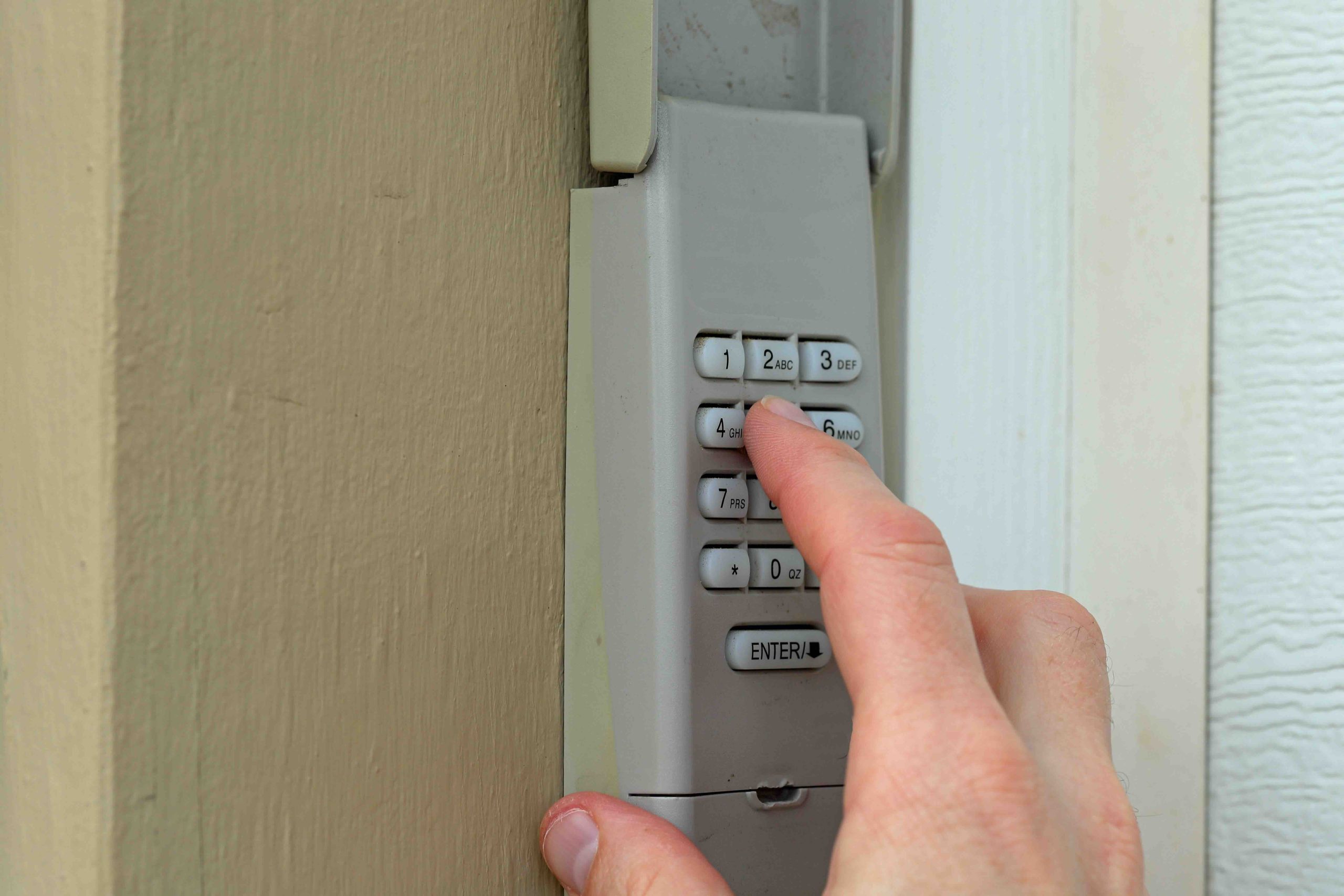
LiftMaster Keypad Programming Without an Enter Button: What You Actually Need to Know
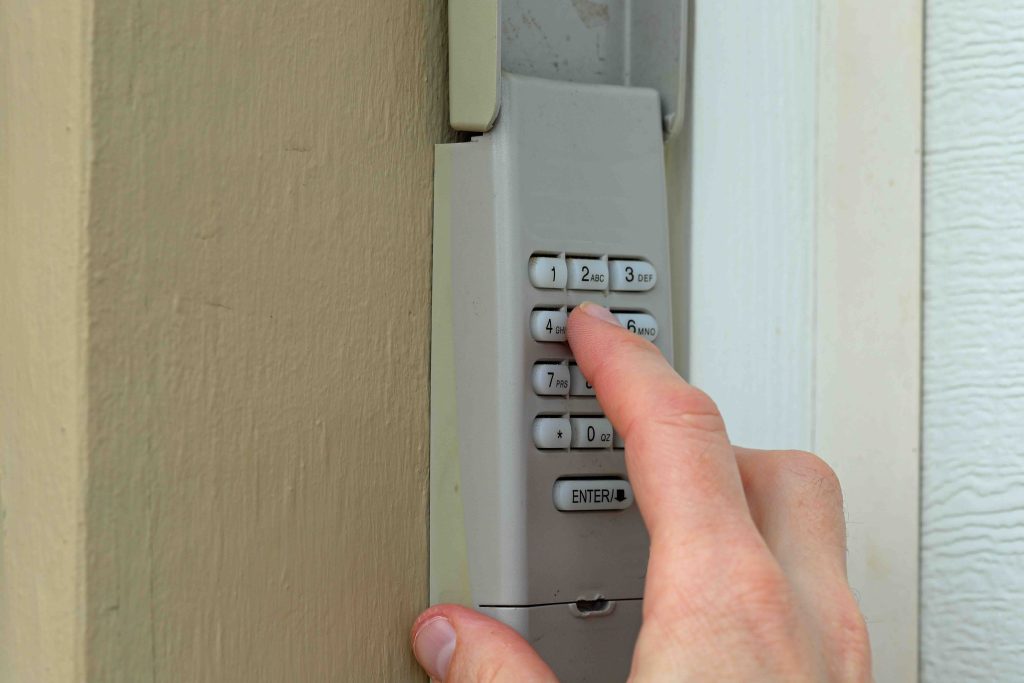
So you are standing in your driveway, squinting at your LiftMaster wireless keypad, and something feels off. You remember programming it involved pressing an “Enter” button, but that button is nowhere to be found. Here is the thing: LiftMaster has released multiple keypad models over the years, and not all of them use the same programming process. If your keypad does not have an Enter button, you are probably working with a newer model that uses a different sequence entirely. This guide walks you through exactly how to handle LiftMaster keypad programming without an Enter button, why the design changed, and what to watch for so you do not accidentally lock yourself out of your own garage.
Why Some LiftMaster Keypads Do Not Have an Enter Button
LiftMaster updated several of its keypad models as part of a broader push toward cleaner, more streamlined designs. The older keypads, particularly those released before myQ integration became standard, relied on a dedicated Enter key to confirm PIN entries. Newer models, especially those in the 387LM and 877MAX lines, removed that button in favor of a simplified interface. Instead of pressing Enter, these keypads use a combination of holding the pound sign, pressing specific number sequences, or waiting for indicator lights to confirm actions. The goal was to reduce user confusion, though it ironically created a different kind of confusion for anyone used to the older setup. Understanding which model you have is the first step before you even attempt to program anything.
How to Identify Your LiftMaster Keypad Model
Before programming anything, flip your keypad over or check the inside of the battery compartment. LiftMaster prints the model number there in most cases. The most common keypads that do not include an Enter button are the 877MAX and the 387LM. The 877MAX is a backlit wireless keypad compatible with MyQ-enabled openers, while the 387LM is an older wireless model with a slightly different button layout. Knowing your model matters because the programming steps vary. Using the wrong sequence can wipe a previously saved PIN or cause the keypad to enter an error state that requires a full reset before you try again.
Step-by-Step: LiftMaster Keypad Programming Without an Enter Button
The programming process differs slightly between models, but the general approach for keypads without an Enter button follows a recognizable pattern. Here is how it works for the two most common models:
- Locate the Learn button on your garage door opener motor unit. It is typically a small colored button near the antenna wire on the back or side of the unit.
- Press and release the Learn button. You will have approximately 30 seconds to complete the next steps.
- On your keypad, enter your desired four-digit PIN.
- Press and hold the pound sign (#) button until the garage door opener lights blink or the door moves slightly, confirming the PIN has been accepted.
- Test the new PIN by entering it and pressing the pound sign again to verify operation.
For the 877MAX specifically, the process is nearly identical but the keypad may require you to also hold the asterisk (*) key in certain reset scenarios. Always confirm the garage door opener lights flash twice, which is the standard signal that the keypad has successfully paired. If the lights do not respond, you likely missed the 30-second window and need to start over from the Learn button press.
Common Mistakes That Derail the Programming Process
Even with simple steps, things go sideways more often than people expect. One of the most frequent issues is waiting too long between pressing the Learn button and completing the keypad sequence. That 30-second window moves fast, especially if you are running back and forth between the motor unit and the keypad. Another common mistake is choosing a PIN that starts with zero. Some LiftMaster models do not register a leading zero as a valid PIN entry and will simply not respond. Additionally, if the keypad batteries are low, the signal may not transmit reliably during programming even if the keypad lights up and appears functional. Fresh batteries before any programming attempt are non-negotiable.
What to Do If Programming Is Not Working
If you have followed the correct steps and the keypad still will not program, a full reset is usually the next move. For most LiftMaster keypads without an Enter button, you can clear all stored PINs by pressing and holding the pound sign (#) for about six seconds until the keypad indicator light turns off and then back on. After that, you start the programming process from scratch. If the reset does not resolve the issue, the problem may not be with the keypad at all. The Learn button on the opener itself can wear out over time, and if it is not registering presses, no keypad will pair successfully regardless of the steps you follow. At that point, the opener motor unit may need professional attention.
Advantages of Keypadless-Entry-Button Design on Modern LiftMaster Models
Once you understand how the newer system works, there are real benefits worth acknowledging. The removal of the Enter button reduces wear on a key component that frequently fails on older units. Because users are not pressing a single button dozens of times per week, the overall lifespan of the keypad tends to improve. The simplified button layout also makes the keypad more weather-resistant in some models, since fewer seams and buttons mean fewer points of water or debris intrusion. For households with young children or elderly family members, fewer buttons also means less opportunity for accidental lockouts from pressing the wrong combination.
Security Considerations When Programming a New PIN
Your garage is one of the most common entry points for home intrusions, so PIN selection is not something to treat casually. Avoid obvious combinations like 1234, your house number, or birth years. LiftMaster keypads on newer models also support temporary PIN access on compatible myQ systems, which is useful when you need to let in a contractor or dog walker without giving out your permanent code. If your opener supports it, rotating PINs every few months is a reasonable habit. After any home sale, tenant change, or service visit where someone else may have observed the keypad, reprogram the PIN immediately. The process takes under two minutes, and there is no good reason to skip it.
When the Keypad Issue Points to a Bigger Garage Door System Problem
Sometimes a keypad that refuses to program is not really a keypad problem. If your opener’s Learn button is unresponsive, the logic board may be failing. If the door hesitates or reverses unexpectedly after a successful keypad entry, the issue could be with the safety sensors, the drive mechanism, or the spring system. Garage door openers are surprisingly complex systems, and a keypad that suddenly stops working after years of reliable service can be an early indicator that something deeper is wearing out. This is where home maintenance awareness pays off. Catching a failing opener early is far less expensive than dealing with a door stuck mid-track on a weekend morning.
How a Home Warranty Can Support Your Garage Door Opener and Beyond
When a LiftMaster keypad stops responding and the problem traces back to the opener motor, logic board, or internal components, the repair costs can climb quickly. That is exactly the kind of scenario where having a home warranty in place makes a meaningful difference. Armadillo home warranty coverage for garage door openers and essential home systems is designed to protect homeowners from the unexpected repair bills that come with normal mechanical wear and failure. A keypad issue that starts as a nuisance can snowball into a full opener replacement, and without coverage, that cost lands entirely on the homeowner. With a customized home warranty plan built for your home’s specific systems and appliances, you are covered for the components that keep your home running, including the garage door opener that you rely on every single day. Armadillo makes the process straightforward, with no confusing fine print and real service you can count on when something breaks.

Frequently Asked Questions About LiftMaster Keypad Programming Without an Enter Button
These are the questions homeowners ask most often when navigating this exact issue, answered directly and without the fluff.
Why does my LiftMaster keypad not have an Enter button?
Newer LiftMaster keypad models, including the 877MAX and some versions of the 387LM, replaced the Enter button with a simplified programming process that uses the pound sign (#) key to confirm entries. This design reduces button wear and streamlines the user experience.
How do I program a LiftMaster keypad without an Enter button?
Press the Learn button on your garage door opener motor unit, then enter your desired PIN on the keypad and hold the pound sign (#) until the opener lights blink to confirm pairing. You have about 30 seconds after pressing the Learn button to complete this process.
What do I do if my LiftMaster keypad is not responding during programming?
First, replace the batteries with fresh ones. Then verify you are completing the keypad entry within the 30-second window after pressing the Learn button on the opener. If it still fails, perform a full keypad reset by holding the pound sign (#) for six seconds and try again.
Can I use my LiftMaster keypad without pressing any special button to confirm the PIN?
No. Even without a dedicated Enter button, you still need to press and hold the pound sign (#) to confirm PIN entries during programming. Without that confirmation step, the opener will not register the new code.
How do I reset a LiftMaster keypad that does not have an Enter button?
Hold the pound sign (#) on the keypad for approximately six seconds until the indicator light turns off and comes back on. This clears all stored PINs and returns the keypad to factory state so you can begin programming from scratch.
How many PINs can a LiftMaster keypad store?
Most standard LiftMaster wireless keypads store a single four-digit PIN. Models connected to a myQ-enabled system may support multiple temporary PINs through the myQ app, depending on the opener model and subscription level.
Can a low battery cause LiftMaster keypad programming to fail?
Yes. Low batteries reduce the signal strength of the keypad’s wireless transmission, which can prevent successful pairing even when the programming steps are followed correctly. Always install fresh batteries before attempting any programming.
What does it mean if my LiftMaster opener lights blink twice during programming?
Two blinks from the opener’s lights confirm that the keypad PIN has been successfully received and stored. If you see only one blink or no response, the pairing was not completed and you need to repeat the process from the Learn button press.
Is LiftMaster keypad programming without an Enter button compatible with all LiftMaster openers?
The pound sign programming method works with most LiftMaster openers that have a Learn button, including models using 315 MHz, 390 MHz, and Security+ 2.0 technology. However, very old openers using DIP switch remotes are not compatible with modern wireless keypads and may require an upgrade.
Can a home warranty cover a LiftMaster garage door opener that stops working?
Yes, in many cases. Home warranty plans that include garage door opener coverage typically cover mechanical and electrical failures of the motor unit and related components. It is worth reviewing your specific plan details to confirm coverage limits and any exclusions that may apply.